
Pharmaceutical2025
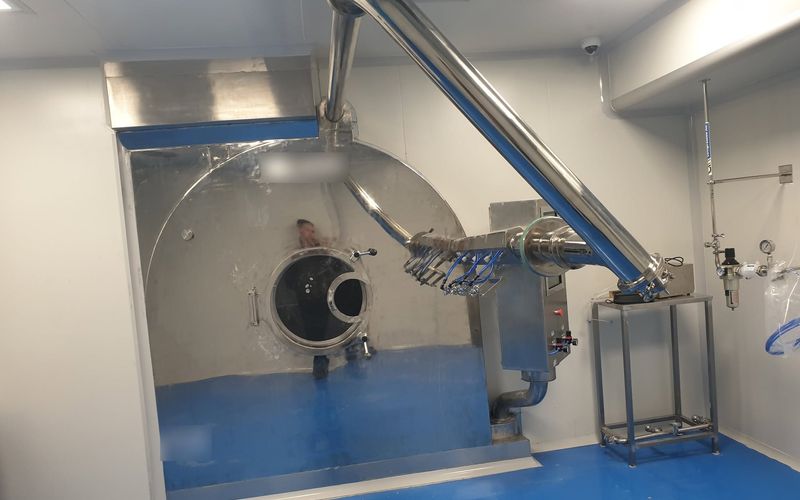
Tablet coating machine on Siemens S7-1200 and WinCC
- Siemens S7-1200 PLC
- Siemens WinCC Professional SCADA
Animations are off because your device is set to reduce motion.
When a batch goes wrong, the first question is what happened. SCADA and data logging answer it. We build monitoring screens that show the whole process, alarm lists with time stamps, and records that link each batch to its settings.
For larger systems we use Siemens WinCC Professional with S7-1200 PLCs, with an SQL database for reports and OEE dashboards where needed. For single machines the HMI itself can log data, store recipes and produce test reports. Our engineers' experience also includes environmental monitoring (EMS) for sterile production areas, and BMS and EMS recommissioning in pharmaceutical plants.
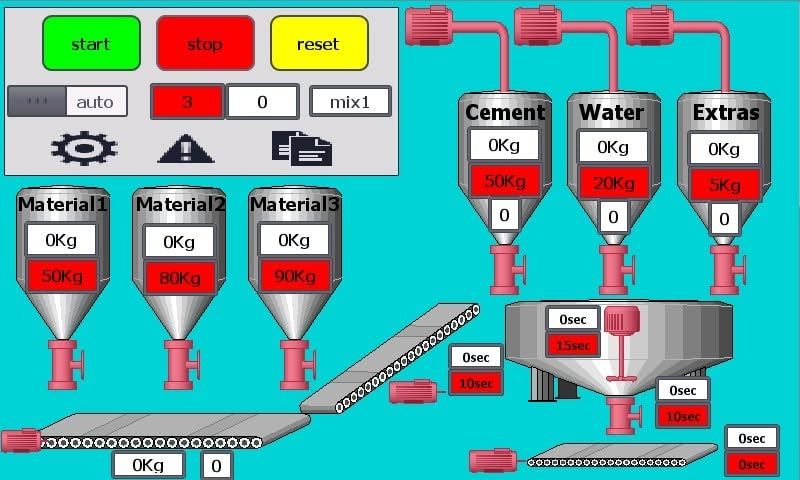
Process overview screens, equipment control, recipe selection and alarm handling, as in our tablet coating and concrete batching projects.
Time-stamped alarm lists and history, so faults can be traced and repeated problems found.
Operator log-in and user levels, so only authorized staff change recipes and settings.
Process values and batch data recorded on the HMI or SCADA, or in an SQL database, for quality records.
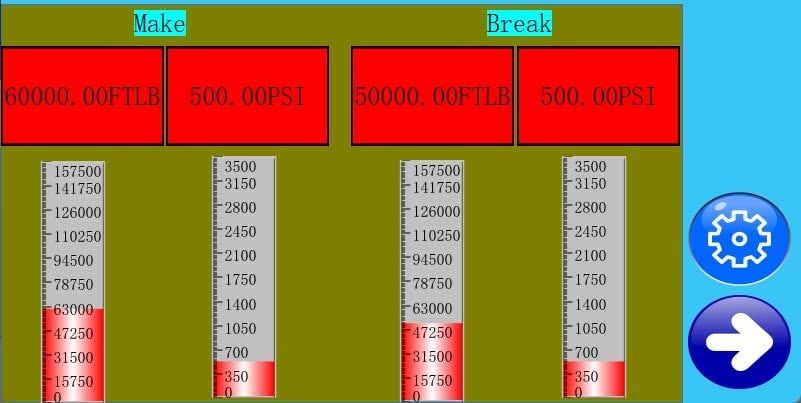
Test and batch reports produced by the system, such as the make and break values on our pipe testing machine.
Counters, cycle times and machine status for output per shift or batch, with SQL-based reports and OEE dashboards at line level.
Pharmaceutical2025
Building materials2025
Platforms we program and integrate
Brand names and logos belong to their owners. They are shown only to identify the hardware our engineers work with.
SCADA and data logging
Tell us which machines to connect and what you need to record. We will propose screens, logging and reports.
You do not need everything on this list. Send what you have and we will ask for the rest.